MOVING TIPS & ADVICE
Protecting Electronics During a Move: How to Pack Screens and PC Towers Properly
Key answers
Screens and computers are vulnerable to vibration, pressure, and loose parts in transit. This guide explains how to prepare, pack, check on arrival, and when to ask a mover for help in Hong Kong.
Why screens and electronics are so fragile in a move
TVs, monitors, and desktop towers may look solid, but the panel, circuit boards, slots, and cooling parts are all sensitive to shaking, pressure, and impact on the corners. In Hong Kong, moving often means narrow stairs, slopes, and bumpy roads. If there is empty space inside a box, vibration can travel straight to the center of the screen or into the case, causing panel stress, dead pixels, lines, or loose components.
That is why electronics should never be treated like ordinary furniture. You need to assess the size, weight, and protruding parts first, then protect the weak points one by one. Avoid stacking heavy items on top of screens, and do not throw cables, remotes, or accessories into the same box where they can knock against the device during transit.
What to prepare before packing
Before packing, wipe dust from the top, edges, and back of the device so grit does not scratch the surface during handling. Then power it down, unplug it, and let it cool fully. For a desktop monitor, remove the stand or base first, and keep screws, caps, and cables in clearly labeled bags. If the screen is large, two people should support it to avoid twisting the frame with one hand.
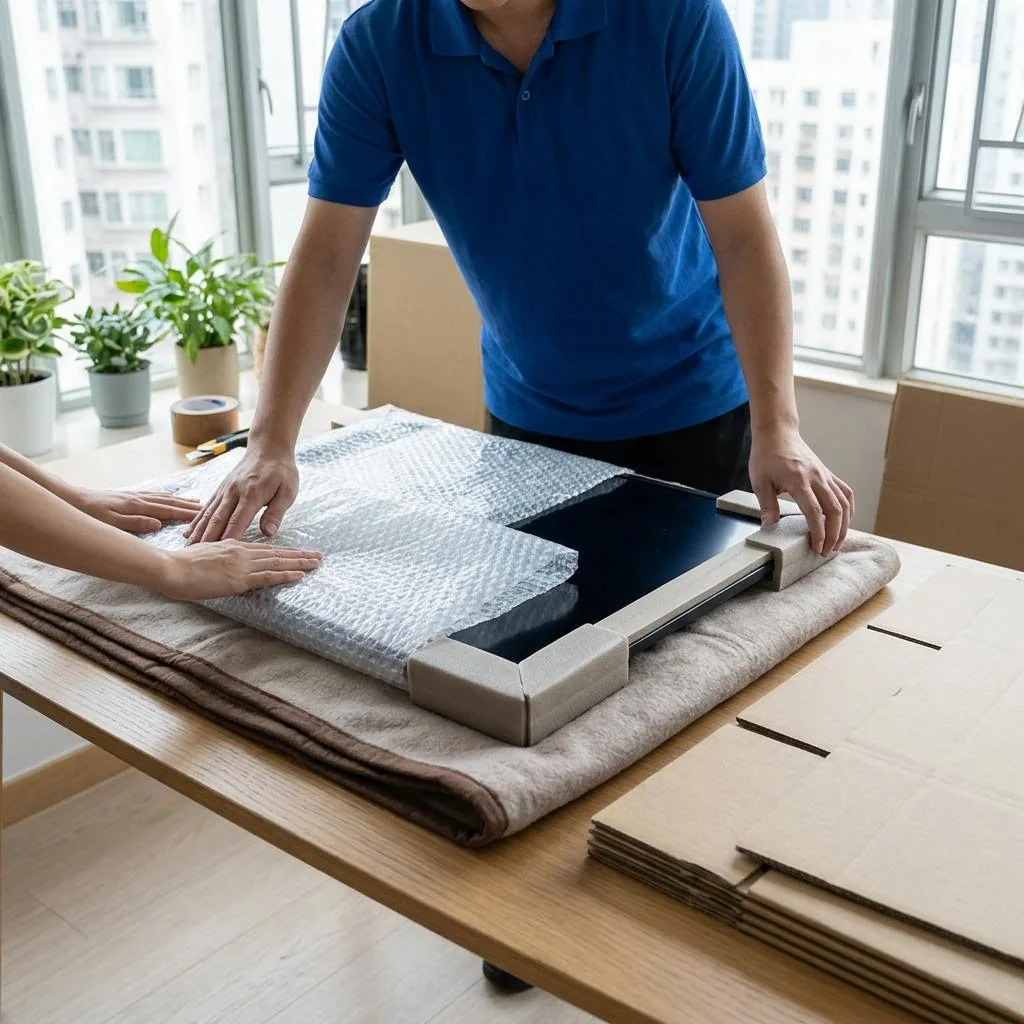
If you still have the original box and inserts, that is usually the best fit because the size matches well. If not, prepare a sturdy double-wall carton, bubble wrap, foam sheets, packing tape, and rigid corner guards. The goal is a snug fit with a little cushioning space left, not a box that is too large and then filled with loose items that can move around.
The safest packing order for screens, TVs, and towers
Start by covering the screen with a clean soft cloth or anti-scratch layer, then wrap it in multiple layers of bubble wrap and add corner protection separately. Place it upright in the carton, and fill the bottom, sides, and top with cushioning material so the screen stays fixed in place. After sealing the box, mark the outside with upright arrows and fragile labels so it is handled in the correct orientation.
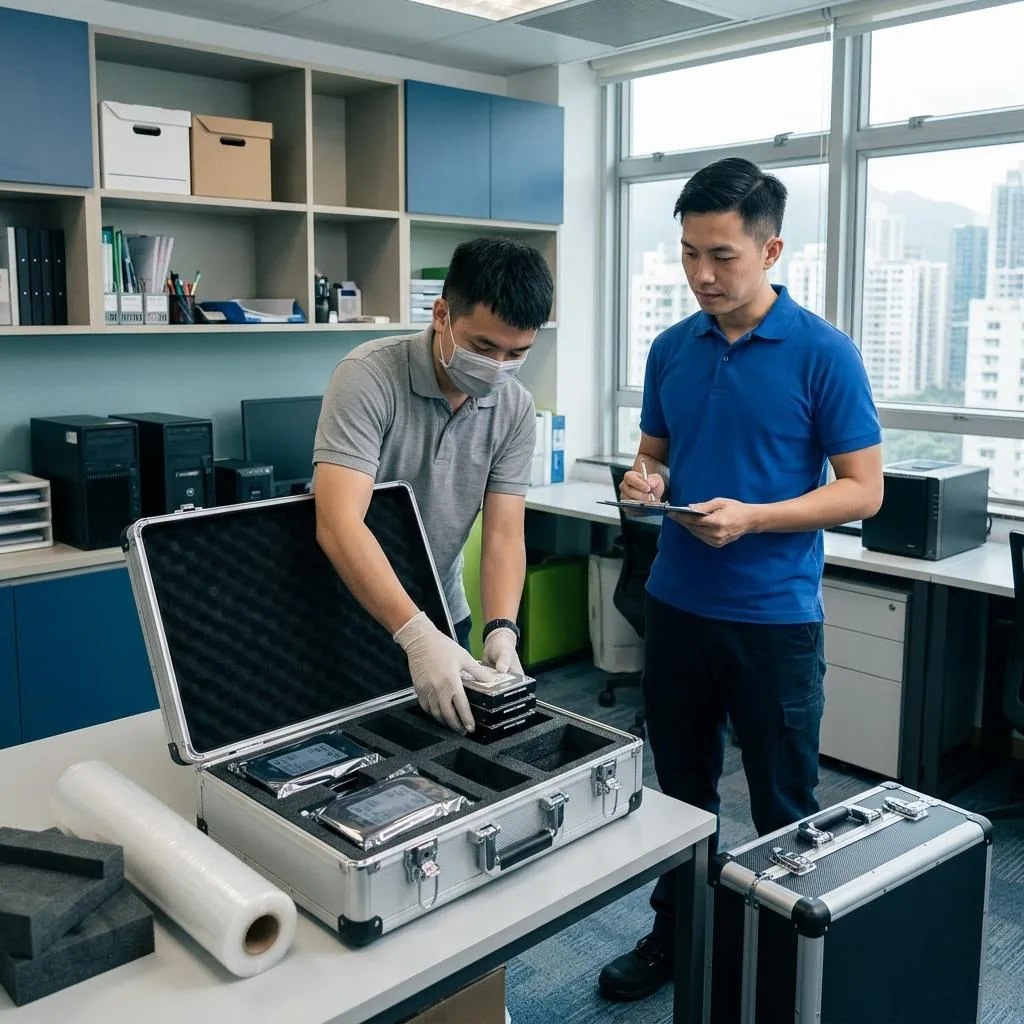
For a PC tower, gather all cables first and disconnect external accessories. Then check whether there are heavy components inside. In general, a dedicated graphics card, tower cooler, or tempered-glass side panel should only be removed after following the manufacturer guidance or after assessment by a qualified technician. If the interior is already loose, do not force the case or move it without fixing the internal load. The key is to reduce movement inside the case and keep accessories separate from the main unit.
Common mistakes that damage equipment
A very common mistake is wrapping a device in a thin plastic bag, towel, or newspaper and calling it protected. Those materials may keep dust off, but they do little to absorb shocks. Another mistake is laying a screen flat at the bottom of the van or stacking boxes, luggage, or chair legs on top of it. Concentrated pressure can crack the panel. If remotes, plugs, or screws are left loose in the box, they can scratch the back panel or block ports.
Some people think that more bubble wrap is always safer, but if the wrapping is too thick and the box is not secured properly, the item can still shift inside. Before moving day, take photos of each device from several angles so you can compare its condition on arrival. Keep screws, stands, manuals, and warranty papers in separate sealed bags, and never mix them with the screen or tower in the same box.
How to check the equipment after it arrives
When the equipment reaches the new home, do not plug it in immediately. First open the box and inspect the shell, corners, screen surface, and ports for dents, compression marks, or cracks. For a large screen, make sure the stand is reinstalled securely and that it is placed on a level, stable surface. If the cushioning has shifted inside the box, that is a sign the item experienced strong vibration and deserves a careful second inspection.
During the first power-on test, look for flicker, color shift, dead pixels, vertical lines, or unusual noise. For a PC tower, check whether the fans, storage, power supply, and video output are all working normally. If anything looks wrong, stop using the device, keep the packaging, photos, and delivery record, and raise the issue with the mover. Any electrical, motherboard, or panel repair should be handled by a qualified technician, not by improvised DIY.
When to ask for professional moving help
If you have an extra-large TV, a curved screen, a heavy tower, or a glass case, or if the route involves narrow stairs, no elevator, or a steep village-house slope, the risk of self-moving rises quickly. These items are not only heavy; their load points are hard to control, and a small twist can damage the ports, panel, or internal parts. For large items, complex access, or a tight schedule, it is better to arrange professional help early.
When choosing a moving team, ask whether they will match the packaging to the item size, whether you need to remove parts yourself, how cables and accessories will be packed, whether they can help you check the condition on arrival, and how any issue should be recorded immediately. The important part is written confirmation of the packing scope, transport arrangement, and terms, not a verbal promise. For pricing or conditions, please refer to Moving house price list and Service terms.
Frequently Asked Questions
Do I need the original box to move a TV or monitor?
The original box is usually the best fit and offers the best protection. If it is no longer available, use a proper double-wall carton, corner guards, and enough cushioning so the item cannot shift inside.
Can I move a PC tower with the graphics card installed?
A small tower may not always need parts removed, but if the graphics card, cooler, or other components are heavy, follow the manufacturer guidance or get a qualified technician to assess whether removal is needed first.
Can a screen be moved flat?
It is generally not recommended, especially for large or thin-bezel screens. Upright transport usually reduces pressure on the panel, provided the box is well secured and properly cushioned.
What should I do if the picture flickers after moving in?
Stop using the device, inspect the exterior, cables, and ports, keep the packaging and photos, and arrange a qualified technician to check it. Do not open the device yourself, or the damage may get worse.
How do I know when to use a professional mover?
If the item is large, heavy, valuable, or needs to pass stairs, slopes, or tight spaces, professional help is worth considering. Ask for written confirmation of the packing, transport, and terms before you book.