MOVING TIPS & ADVICE
Packing a 3D Printer or Precision Device for Moving
Key answers
A 3D printer is a precision device, so moving it means clearing materials, securing moving parts, adding shock protection, and checking alignment again after delivery.
Identify the model and moving risks
Not all 3D printers are built the same. Resin printers, FDM printers, laser sintering units, and models with external feed systems all have different weak points inside. Before moving, confirm the size, weight, whether it must stay upright, and which parts can be removed. Taking photos of the original setup also helps you spot shifts or missing items later.
If the machine is connected to power, ventilation, extraction, or an external computer, have shutdown and disconnection handled according to the manufacturer instructions or by a qualified technician. Do not try to deal with electrical, gas, laser, or complex calibration work yourself. If any structure is unclear, ask the supplier for moving guidance first.
Remove materials and secure moving parts
Before packing, take out finished prints, tools, samples, and loose accessories from the machine. Resin should be sealed separately to prevent leakage, while filament, spools, and small parts should be packed apart from the main unit. Any leftover material inside the machine can clog the nozzle, contaminate rails, or dirty sensors during transit.
Moving parts such as the print head, rails, platform, door panels, and drawers should be locked according to the maker's instructions or secured with soft protective materials. If the model has no clear locking method, do not force parts into place with hard objects, because that can damage rails or affect accuracy after reassembly.
Protect the interior and wrap the exterior
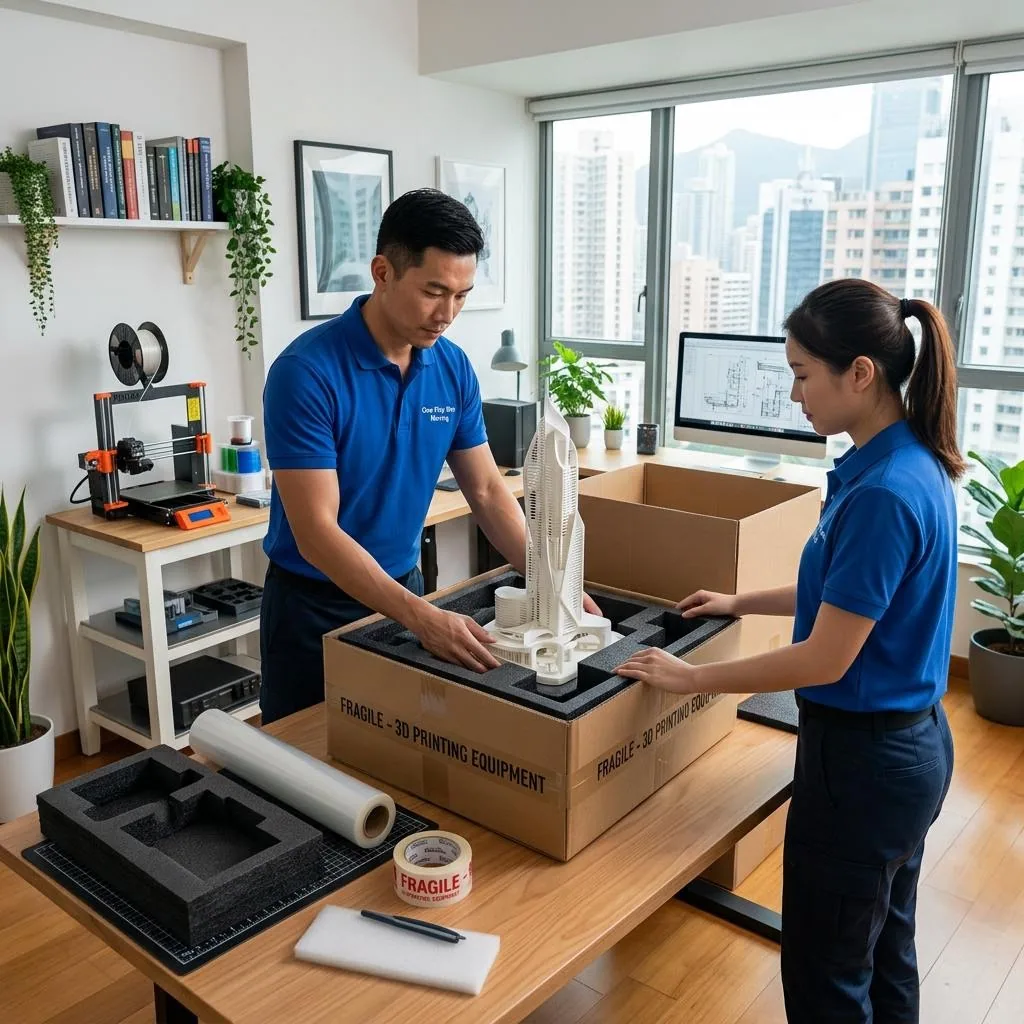
If the unit has mirrors, nozzles, sensors, or a clear cover, clean away dust first and use lint-free cloth, protective padding, or original packing material for basic shielding. The goal is to protect against dust, scratches, and pressure, not to stuff every gap as tightly as possible. Overpacking can push parts out of line and make unpacking risky.
For the outer layer, wrap the machine in an anti-static or soft cushioning material, then add corner protection for the frame, screen, and handles. If the device has glass doors, a touch screen, or exposed cable channels, mark these areas clearly and do not let tape stick directly onto sensitive surfaces. After packing, check that all latches stay closed.
Outer carton, cushioning, and loading
A precision device should go into a carton that fits properly and has a stable structure. Leave even cushioning space on all sides so the unit cannot move around inside the box. Keep the machine in its recommended orientation, especially if it contains liquid, laser, or precision optical parts. If any accessories must be removed, label each one clearly.
When loading, do not place heavy items on top of the device, and keep it away from furniture that can shift, metal pieces, or sharp-edged items. Minimise empty space in the vehicle so the carton will not slide during turns or braking. If it must travel with other items, agree on the fixing method and loading order in advance, and ask the movers to check the corners and seals again before handover.
Unpack, position, and inspect on arrival
At the new place, set the machine on a level, dry surface away from direct sunlight and vibration sources, then remove the carton, wrapping, and fillers step by step. Keep the packing materials for a while in case you need to review how the unit was packed later. If the outer box is dented, wet, or the seals look loose, photograph it before opening.
After positioning, do only basic visual and functional checks first, such as looking for loose doors, trays, power cords, panels, and visible screws. Follow the manufacturer's startup steps gradually. Any axis calibration, laser setting, board reset, network setup, or other technical adjustment should be handled by a qualified technician rather than trial and error.
When to use a professional moving team
If the device is large, heavy, has precision optics, or must stay upright, ordinary boxes and manual lifting are often not enough. Before booking a team, explain the model, size, floor level, lift access, narrow entrances, and whether doors or frames need to be removed. Ask for a clear explanation of the packing method, moving route, and protection plan on site.
You can also ask for photos before and after the move, plus a count of the main unit, accessories, cables, tools, and manuals at loading, arrival, and unpacking. If anything is unclear, record it immediately and ask for written confirmation. For service scope and arrangements, please check Service terms and Moving house price list.
Frequently Asked Questions
What is the most important step before moving a 3D printer?
Clear the materials and accessories first, then secure the moving parts and carry out shutdown and disconnection according to the maker's instructions. Any electrical, laser, or complex calibration work should be handled by a qualified technician.
Is packing a resin printer different from packing an FDM printer?
Yes. A resin printer needs extra care for liquid material and leak prevention, while an FDM printer needs attention to filament, nozzle protection, and rail locking. Both need dust protection and shock protection, and neither should be moved upside down or on its side without proper guidance.
Can I stuff the inside very tightly to make the printer safer?
No. Overfilling can push parts out of alignment and increase the risk of damage. The aim is to keep the unit stable without squeezing it hard.
Can I power it on immediately after it arrives?
First check the carton, doors, screws, and cables for visible damage. Then follow the startup steps gradually. Any calibration or technical reassembly should be done by a qualified technician.
What should I ask a moving company before booking?
Ask whether they have experience with similar equipment, how they will pack it, whether it must stay upright, how they will secure moving parts, whether they will take photos, and how the terms are written.